

TL;DR:
- Web apps are browser-based, cheaper, faster to develop, and easier to iterate in early stages.
- Mobile apps offer device integration, offline use, and higher engagement, but are more costly and time-consuming.
- Start with a web MVP to validate your idea quickly and expand to mobile later based on user needs.
Most founders assume they need a mobile app first. It feels more “real,” more impressive to investors, and more exciting to demo. But that assumption can cost you months of development time and easily $30,000 to $100,000 in extra spend before you’ve validated a single thing. The choice between a web app and a mobile app isn’t about which sounds better at a pitch meeting. It’s about which one gets real users into your product faster, cheaper, and with less risk. This guide cuts through the noise and gives you a framework to make that call confidently.
Table of Contents
- Understanding web apps and mobile apps
- Comparing cost, speed, and resource investment
- User experience and product strategy considerations
- How to choose: Key questions and decision framework
- Why web-first is often the smartest MVP move (but not always)
- Accelerate your SaaS launch with expert guidance
- Frequently asked questions
Key Takeaways
| Point | Details |
|---|---|
| Web vs mobile app basics | Web apps are accessible through browsers, while mobile apps are installed on devices. |
| MVP cost and speed | Building a web app MVP is faster and cheaper than developing a mobile app MVP. |
| Choosing the right platform | Select your starting platform based on user needs, product strategy, and available resources. |
| UX priorities | Web apps are ideal for broad access, while mobile apps excel at deep engagement. |
| Start lean, validate | Launching with a web app MVP helps test ideas and reduces startup risk before considering mobile. |
Understanding web apps and mobile apps
Before you make any decision, you need to be clear on what you’re actually choosing between. The terms get thrown around loosely, and that fuzziness leads to bad decisions.
A web app runs entirely inside a browser. Safari, Chrome, Firefox — doesn’t matter. Users visit a URL, and your product loads. No installation, no app store approval, no waiting. Web apps are accessed via web browsers, while mobile apps are downloadable applications built for specific devices. That single difference has massive downstream consequences for your launch speed, your development cost, and your user onboarding experience.
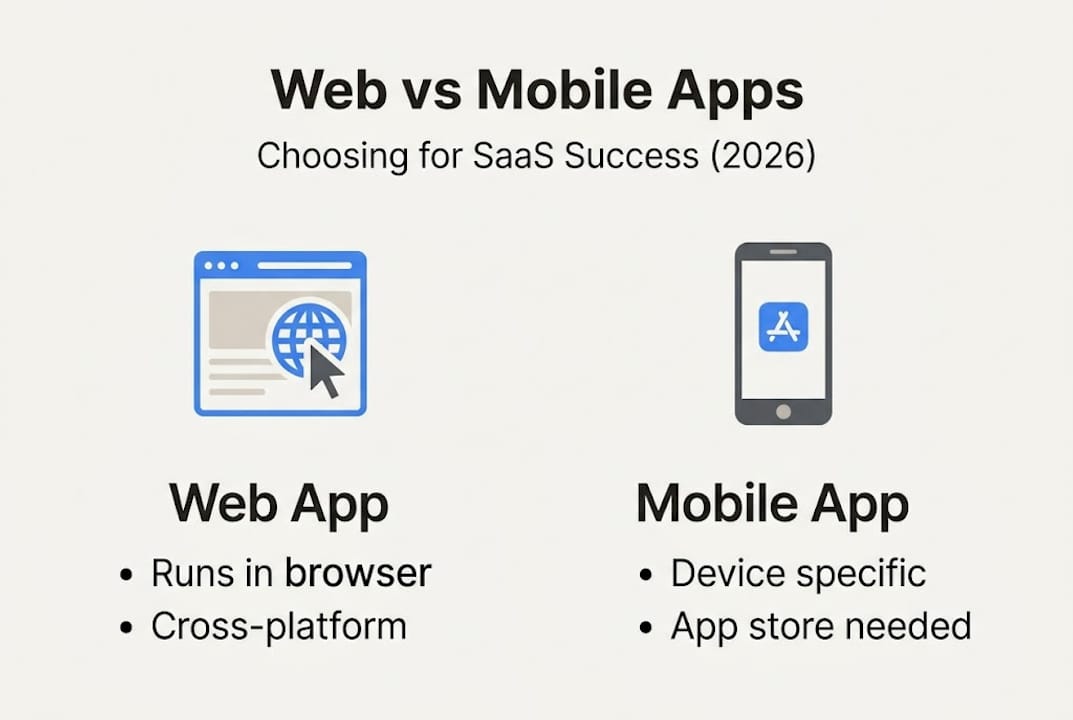
A mobile app, on the other hand, is built natively for iOS, Android, or both. It lives on the user’s home screen, it can run in the background, and it taps directly into device hardware. That’s where mobile apps shine. But that power comes with serious tradeoffs.
Here’s a quick breakdown of what separates them:
- Web apps: No installation required, instant updates for all users, accessible on any device with a browser, easier to share via links
- Mobile apps: Native device access (camera, GPS, accelerometer), offline functionality, push notifications, faster performance on mobile hardware
- Web apps: Easier to iterate on quickly, lower barrier to entry for new users
- Mobile apps: Higher engagement potential, better suited for daily or frequent use
Usage patterns matter a lot here. If your SaaS product is a back-office tool your users open once a week on their laptop, a web app makes total sense. If your product needs to alert users in real time or capture location data on the go, mobile starts to make a compelling case. For more SaaS insights on how product type drives platform choice, it’s worth spending time with real-world examples before you commit.
Pro Tip: Ask yourself this before anything else — where does my user naturally open this product? At a desk, or on the go? The answer tells you 80% of what you need to know.
Comparing cost, speed, and resource investment
Now that you know the basic definitions, let’s examine how your choice affects budget and time-to-market.
Mobile app development can take up to 30% longer and be 2 to 3 times more expensive compared to web apps, especially for MVPs. That’s not a minor difference. For a founder with a $50K runway, that gap could mean the difference between launching and running out of money before you get user feedback.
Here’s how the two compare across key dimensions:
| Factor | Web app | Mobile app |
|---|---|---|
| Average MVP cost | Lower ($10K to $30K) | Higher ($25K to $80K+) |
| Development time | 4 to 8 weeks | 8 to 20 weeks |
| Platform coverage | All devices via browser | iOS and/or Android only |
| Update process | Instant, no approval needed | Requires app store review |
| Developer specialization | Full-stack generalists | Platform-specific specialists |
| Iteration speed | Fast | Slower due to review cycles |
The update process alone is a huge deal for early-stage products. When you discover that your onboarding flow is confusing (and you will), a web app lets you fix it and deploy in minutes. With a mobile app, you write the fix, submit it to Apple or Google, wait for review, and hope users actually update the app. That cycle can take days or even weeks.
Here’s a simple way to think through the financial side of this decision:
- Estimate your runway. How many months of development can you actually fund before you need paying customers?
- Map your MVP scope. What is the absolute minimum feature set needed to prove value?
- Calculate time-to-first-user. Which platform gets real users into your product faster?
- Factor in iteration cost. How many rounds of changes will you need before product-market fit?
- Check your hiring market. Can you actually find and afford the developer skills you need locally or remotely?
If you’re still working to validate your SaaS idea before investing heavily, the math almost always points toward web first. And if you’re planning to think about launching a SaaS app within a tight timeline, the platform choice is one of the highest-leverage decisions you’ll make.
User experience and product strategy considerations
Cost isn’t the only factor — delivering the right user experience can define your SaaS’s success.

User expectations are shaped by the platform. When someone opens a web app, they expect it to behave like a website: fast loading, keyboard-friendly, easy to navigate. When someone downloads a mobile app, they expect smooth gestures, fast animations, and features that use their phone’s hardware. Missing those expectations on either platform damages trust fast.
Here’s how the platforms stack up on experience factors:
| Experience factor | Web app | Mobile app |
|---|---|---|
| Onboarding ease | High (just share a link) | Medium (requires download first) |
| Push notifications | Limited (browser-based only) | Full native support |
| Offline access | Limited | Full support possible |
| Camera and GPS access | Partial (browser APIs) | Full native access |
| User engagement (daily) | Lower | Higher |
| Sharing and virality | Very easy (URL-based) | Harder (app store link) |
Mobile apps are essential when your product needs frequent user engagement, push notifications, or deep device integration. That’s a real constraint, not just a preference. If your product’s core value loop requires reminding users to come back daily — think habit-forming tools, fitness trackers, or real-time communication apps — then mobile isn’t optional.
For most B2B SaaS products, though, the story is different. Your users are at a desk. They’re managing workflows, reviewing data, or collaborating with a team. Web apps serve those users extremely well.
- Choose web if: your users access the product during work hours, primarily on laptops or desktops, and your core value is information or workflow management
- Choose mobile if: your users need real-time alerts, are on the move, or your product captures physical-world data
- Hybrid consideration: Progressive Web Apps (PWAs) sit between both worlds — they run in a browser but can be installed on a home screen and support some offline features
The role of UX in MVP success is often underestimated by non-technical founders. Studying best UX practices for your chosen platform before you build will save you costly redesigns later.
Pro Tip: If you’re unsure, survey 10 to 20 target users and ask them: “What device would you use to open this product?” Their answer is your answer.
How to choose: Key questions and decision framework
With the pros, cons, and strategies clear, here’s how to make the smartest first move for your startup.
“Starting with a web app MVP is often best for testing an idea quickly and gathering feedback before investing in mobile.”
That’s not opinion — that’s the reality of how most successful SaaS products were built. Slack, Notion, Figma, and dozens of other category-defining tools started as web products. Mobile came later, after they knew what they were building actually worked.
Here’s the decision framework, step by step:
- Define your user environment. Where does your target user actually spend their time? At a desk or on the move?
- Identify core functionality. Does your product require camera access, GPS, offline mode, or push notifications to deliver its core value?
- Validate demand first. Can you prove people want this before spending six figures on a native app?
- Map your technical feasibility. Do you have access to the right developers? Finding a mobile developer with the right skills is harder and more expensive than finding a full-stack web developer.
- Consider your roadmap. Even if you plan to go mobile eventually, starting with web doesn’t lock you out. It buys you time and learning.
- Apply agile thinking. Using agile MVP frameworks means you ship, learn, and adapt — not plan for two years before launch.
If you answered yes to needing core device features in step two, mobile-first might be your path. For everyone else, web-first almost always wins at the MVP stage.
Pro Tip: Build your web MVP as if mobile will come six months later. Keep your backend clean and your API well-structured from day one. That makes the mobile transition far easier when the time comes.
Why web-first is often the smartest MVP move (but not always)
Here’s the hard-earned truth most founders miss when planning their MVP.
I’ve seen founders spend eight months and $120,000 building a polished native iOS app — only to discover that their users actually preferred using the product on a browser at work. All that time, money, and complexity, wasted. The product wasn’t wrong. The platform choice was.
Web apps cost less, reach more users instantly, and let you iterate without asking permission from Apple or Google. For most SaaS products targeting professionals, web-first isn’t just the safe choice — it’s the strategically correct one. Validating your SaaS idea on a web platform before committing to native mobile is how you protect your runway and your sanity.
But I’ll be honest: there are real exceptions. If you’re building a fitness app, a field service tool for workers without laptops, or a product where the camera is the core feature, web-first won’t cut it. Mobile is the product in those cases, not just a nice-to-have addition.
Don’t let trends make this decision for you. Make it based on where your specific users actually are and what they genuinely need to get value from your product.
Accelerate your SaaS launch with expert guidance
Ready to take the next step? Here’s how you can launch with confidence.
Choosing between a web app and a mobile app is one of the most consequential early decisions you’ll make. Get it wrong, and you burn months of runway. Get it right, and you’re in front of real users fast, learning what actually matters.

If you’re a non-technical founder who needs a senior engineer to help make this call and then actually build it, that’s exactly what I do at hanadkubat.com. No agency overhead, no project manager middleman — just direct execution from someone who has built and shipped real SaaS products. You can also start by reading the custom app development guide to go deeper on your specific product situation before committing to anything.
Frequently asked questions
What is the main difference between a web app and a mobile app?
Web apps are browser-based; mobile apps are device-specific and downloadable. A web app is accessed through a browser on any device, while a mobile app is downloaded and runs natively on smartphones or tablets.
Which is faster and cheaper to develop for a SaaS MVP: web app or mobile app?
Web MVPs are usually faster and less costly to develop than mobile apps. A web app is typically faster and less expensive to build for MVP, with development timelines that can be half those of a native mobile build.
When should a startup consider launching with a mobile app first?
Mobile-first is ideal when engagement and device integration are key. If your users need push notifications, offline use, or device features like GPS and camera access, mobile-first can make strong sense.
Can I build both a web app and a mobile app for my startup at once?
Dual-platform launches can stretch resources and lengthen time-to-market. It’s possible, but usually costlier and riskier for startups to launch both platforms from day one.
What technical team do I need to build a web app vs a mobile app?
Web and mobile apps require different sets of developer skills. Web apps need frontend and backend developers, while mobile apps require iOS and/or Android specialists who are often harder to find and more expensive to hire.